 Android phone
Parlons!
An independent identity on your phone.
No account server to arrange. Messages, files, and voice or video calls.
Your chats live on this phone.
Set up Android 0.6.149 · Android 9+The freedom to talk privately.
Decentralised · end-to-end encrypted
Connect with anyone on the Parlons network. Send private messages, voice notes, audio and files with end-to-end encryption. Make Minima and MxUSD payments right inside your conversations.
Powered by Maxima on the Minima network.
Android · Mac · Windows · Linux
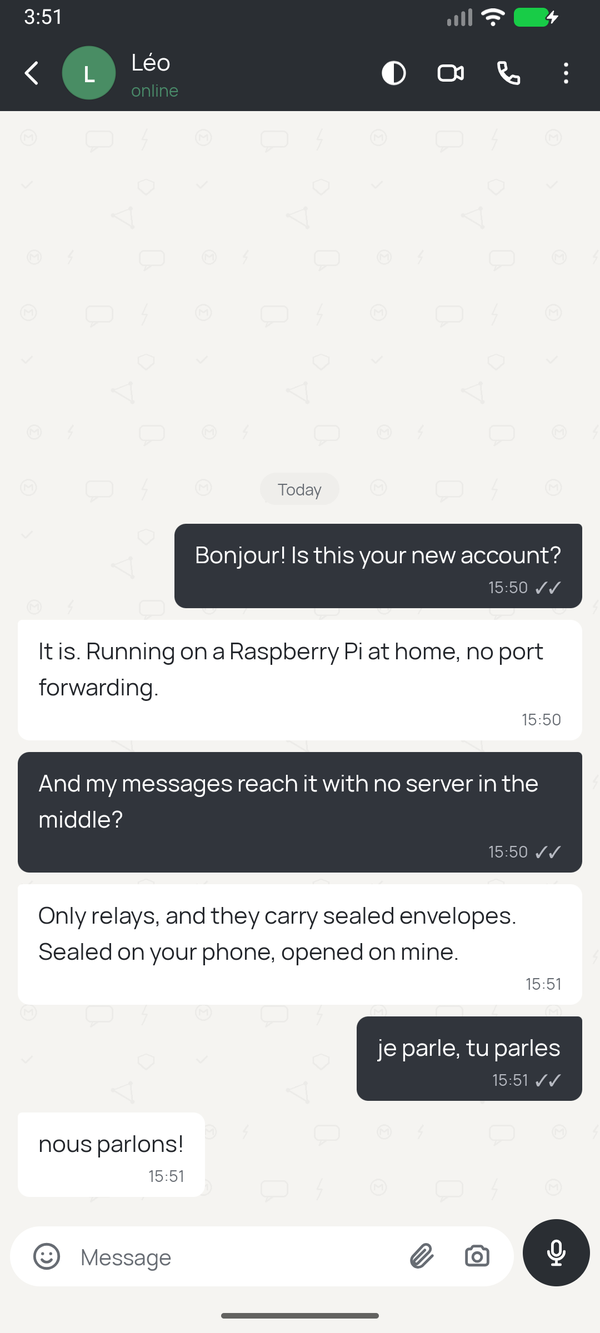
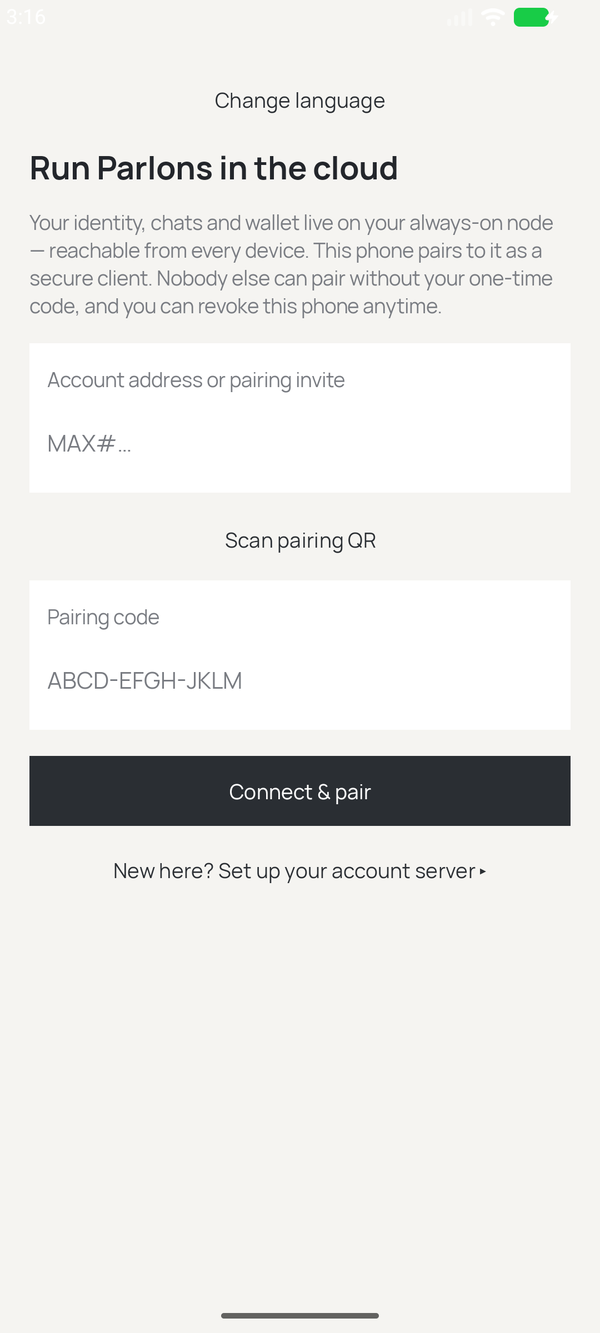
Use Parlons on Android, run Cloud from your desktop, or host it on an always-on server. Your desktop can be the home of the same account you use on your phones.
Android phoneAn independent identity on your phone.
No account server to arrange. Messages, files, and voice or video calls.
Your chats live on this phone.
Set up Android 0.6.149 · Android 9+Mac, Windows or LinuxYour computer can be your Cloud.
Run Parlons inside minimaCore Desktop or minimaDesk: a full Minima node, your shared account and hosted accounts for friends.
Enable network contribution and forward the port shown in the app to provide the full Cloud relay service.
Standalone chat app →Set up Desktop Cloud minimaCore Desktop · minimaDeskYour account. Your devices. Your community.Run your own node. Bring your friends.
Give the network its fullest support: run a full Minima node and relay, use the same account on multiple devices, and invite friends to separate tenant accounts.
The future home of Parlons! on iPhone, too.
Already invited? Connect your device →Set up Parlons Cloud Node 0.2.144 · Android client 0.2.94Parlons Cloud will bring Parlons! to iPhone: connect to your own node or join a friend’s as a tenant. The iPhone app is not available yet.
Parlons is decentralised: communication runs over the Maxima network, carried by community-operated relays. Choose your relays, run your own node, and talk across the network without a central chat service.
Messages, voice notes and private files are encrypted end to end. Relays carry the encrypted content; they cannot read your conversations or open your files.
Exchange text, audio and files with your contacts, and send Minima or MxUSD from wallet-enabled accounts. One conversation for talking, sharing and paying.
Payments are recorded on the public Minima blockchain. End-to-end encryption protects your conversation; it does not make blockchain transactions anonymous. Chat-only guest accounts do not include payments.
Parlons is part of something bigger: private communication powered by Maxima, on the decentralised Minima network.
eurobuddhaExplore the ecosystemYour conversations. Your people. The app that brings private messages, audio, files and payments together.
The communication layer carrying encrypted messages between people, devices and community relays.
Explore MaximaThe decentralised blockchain beneath the ecosystem. Full nodes validate the network and settle payments.
Discover MinimaDiscover the apps, tools and node software that make the Minima ecosystem yours to use.
Parlons Cloud runners give the network its fullest support. Your always-on machine runs a full Minima node and a full relay, keeps your account available across devices, and can provide a home for your friends’ own accounts.
Prefer a desktop interface? Run the same Cloud functions in minimaCore Desktop or minimaDesk, with network contribution enabled and the router port forwarded.
The complete Cloud setupOne command, one process, every service: a full Minima node, the Parlons relay and your always-on account, the keets transport with a public DHT bootstrap node and mailbox, and the DEX relay over HTTPS. One account on multiple paired devices; separate tenant accounts for friends.
curl -fsSL https://parlons.info/install.sh | bash on any always-on Linux box with 2 GB of RAM and a public address. Then pair your devices and invite your friends. iPhone will use this same Cloud approach when its app is available.
An alternative for smaller machinesThe standalone parlons-cloud server runs an always-on account and relay on Mac, Linux, Raspberry Pi or Windows. It supports paired devices and guest hosting, but does not include a full Minima node.
Choose the complete Cloud setup above to contribute both a full node and relay. The Windows installer for this lighter option is not yet verified by its authors.
Lighter hosting instructions →| Parlons! Android | Desktop Cloud | Parlons Cloud Android | |
|---|---|---|---|
| Identity & chats live | On this phone | On this computer, shared with paired devices | On the account host |
| Separate account host needed | No | No — this computer is the host | Yes — your own or a trusted host |
| Voice & video calls | Yes | Yes, in the Parlons panel | Yes |
| Shared account across paired phones | No — use Cloud for this | Yes — pair phones to this account | Yes |
| Start with | Create an identity | Run the Parlons Node and open its Parlons tab | An account invitation |
The Desktop column describes Parlons inside minimaCore Desktop or minimaDesk. The separate MaximaNode app is a standalone chat and relay client; it does not provide the same account-hosting interface.
Yes. minimaCore Desktop and minimaDesk run the same Parlons Node and account services as a Cloud server. Keep the computer awake, enable network contribution, and forward the TCP port shown under Parlons → Node → Port forwarding. Pair your own devices to the account and create separate hosted accounts for friends.
Yes. The Parlons apps use the same messaging network. Exchange contact addresses, even if you use different apps.
Yes. Create a separate tenant account on your Parlons Cloud node and give your friend its invitation. They get their own identity, contacts and chats; their invitation does not give them access to your account or node controls. Use owner invitations only for your own devices.
No. A contact address lets someone message you. A pairing invitation grants a device access to an account. Keep pairing invitations private.
Use pairing for a shared account. Running the same seed independently on several devices does not synchronise chat history. The guides explain backups and moving an identity.
The phone apps, desktop app and servers have separate releases. Choose by purpose and device, not by the biggest version number.
Through Parlons Cloud: the iPhone app will connect to your always-on account, either on your own node or as a tenant on a friend’s node. The iPhone app is not available yet.
The appsContacts, chats, groups, photos, calls, payments and backups on Android and Desktop.
Open →Your phone and accountPairing phones, inviting devices and friends, and hosting accounts.
Open →Your serverInstalling, configuring and updating a node.
Open →Parlons!Each setup guide continues with adding a friend, sending messages, sharing files, backups and help.
Find your version ↑